A CLEARER STARTING POINT
QuickBooks Cleanup Services.
Make your file make sense.
A connected bank feed is useful. Knowing whether the entries belong in your books is the next step. Discuss QuickBooks bookkeeping cleanup with CBA Financials.

Better records.
✳Clear responsibilities.
✳A practical way forward.
01 / UNDERSTAND THE SITUATION
Start with the facts.
Then make a plan.
QuickBooks cleanup services investigate and correct problems inside an existing QuickBooks file, such as duplicate activity, uncategorized transactions, reconciliation differences, and customer balances that need explanation.
If the dashboard looks complete but the reports feel wrong, start with evidence. Compare statements, transaction history, reports, and the periods already used for tax filing. A correction should have a reason and supporting records; a zero difference alone is not enough.
Tell CBA Financials which QuickBooks product you use, how far back the issue goes, and whether another accountant has closed the period. Confirm product compatibility, access permissions, cleanup boundaries, deliverables, and fees before work starts. QuickBooks is an Intuit product; this page does not imply an Intuit partnership.
02 / FIND YOUR STARTING POINT
Make the next conversation
more useful.
Explore the questions, records, and responsibilities that shape the next step.

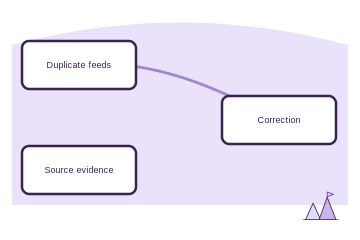
Was the same transaction recorded twice?
An imported withdrawal may already exist as a bill payment, expense, or transfer. Compare the source document and existing entry before adding another record.
Review both sides of transfers and payment matches. Deleting an apparent duplicate without checking linked activity can create a new problem elsewhere in the file.
Where did the opening difference begin?
Start from the last supported statement reconciliation and identify the first period that no longer agrees. Inspect changed transactions and the file’s history.
Intuit warns that undoing a reconciliation can affect later reconciliations and delete reconciliation reports and attachments. Preserve relevant evidence and assess consequences before using that option.

Does the open balance reflect what is still owed?
Trace unapplied payments, credits, duplicated bills, and stale invoices to their original records. A customer credit and a bank deposit are not automatically the same event.
Agree how unresolved items will be documented. Corrections should explain which balances changed and why, rather than making unexplained entries to clear a report.

How do we prevent the same issue next month?
Review the chart of accounts, bank-feed rules, transaction ownership, and the steps staff follow when posting or matching activity.
Ask for a practical handoff: corrected periods, remaining questions, approved changes, and a repeatable reconciliation routine. Ongoing bookkeeping is a separate scope to confirm.
03 / LOOK AT THE DIFFERENCE
Two sides.
A clearer decision.
| Consideration | File cleanup | Ongoing bookkeeping |
|---|---|---|
| Primary trigger | An existing file contains questionable or inconsistent activity. | New business transactions need regular recording and review. |
| Main question | What went wrong, and which correction is supported? | What happened this period, and is it recorded appropriately? |
| Working records | Statement history, audit activity, linked entries, prior reports. | Current statements, receipts, invoices, bills, and payroll records. |
| Useful handoff | Correction log, reviewed balances, and unresolved exceptions. | A recurring reporting and reconciliation routine. |
Use these distinctions to frame a conversation. The right scope depends on your records, business activity, and the responsibilities agreed for your engagement.
04 / FROM QUESTIONS TO ACTION
A useful conversation
starts with context.
Tell us what is happening, what records are available, and which decisions or deadlines need attention.
Talk through the situation ↗- 01
Show the symptoms
Bring statement dates, example transactions, affected reports, your product version, and any prior cleanup notes. Share access through an agreed invitation process, rather than sending passwords.
- 02
Agree the repair boundary
Define the accounts and periods to examine, preserve relevant reports, and identify changes that need owner or tax-preparer approval before correction.
- 03
Review and hand over
Compare corrected balances with supporting schedules. Document unresolved exceptions and agree who maintains the file and reviews future changes.
CONNECTED CBA SERVICES
Support for the work
behind the question.
QUESTIONS WORTH ASKING
Good questions.
Clear starting points.
Looking for help with your own business?
Let’s talk ↗Can you clean up QuickBooks Online and Desktop?
Tell us your exact product, version, and file arrangement. Confirm compatibility and access requirements with CBA Financials before an engagement is agreed; features and workflows differ between products.
Should I delete transactions until the balances match?
No. Trace differences to supporting records first. Removing a linked payment, transfer, or reconciled transaction can affect other balances and periods. Agree the correction approach before changing historical data.
Is QuickBooks cleanup the same as catch-up bookkeeping?
They can overlap. Catch-up work fills missing periods or transactions; cleanup addresses activity already recorded incorrectly. A diagnostic review can identify whether your file needs one or both.
What determines the price and timeline?
The product, number of accounts, periods involved, available evidence, and complexity of linked errors matter. Ask for the proposed scope, assumptions, deliverables, and fees after the initial review.
YOUR NEXT STEP
Bring the question.
Build some clarity.
Tell CBA Financials what you need help understanding. We’ll discuss the relevant records, available support, and scope before work begins.
Cupertino, California · Find us ↗Send general inquiry details only. Ask how to share financial records securely.