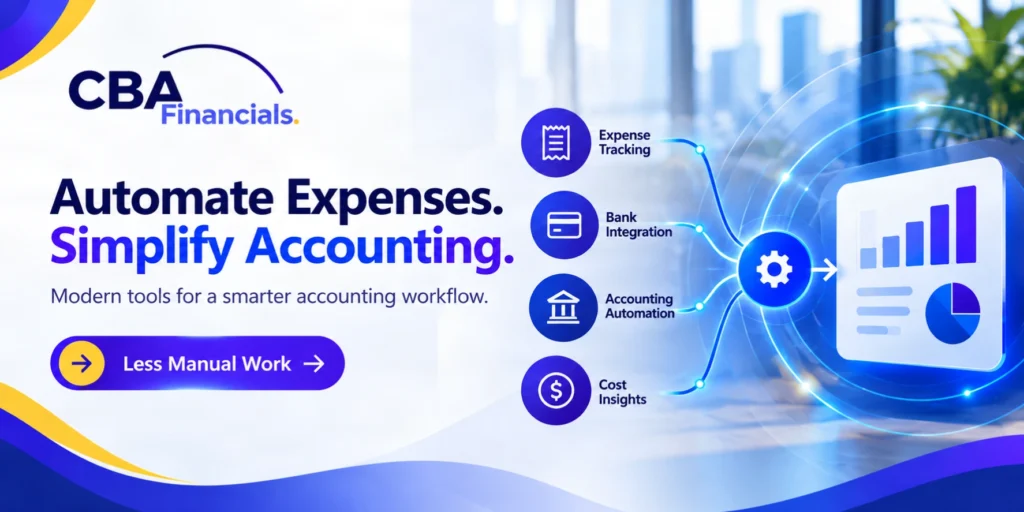
Spending too much time collecting receipts and entering expenses? Talk with CBA Financials about improving your bookkeeping workflow.
Review Your Expense WorkflowModern accounting technology can help businesses capture expenses, organize receipts, categorize transactions, improve approval workflows, and keep financial records updated with less manual effort.
The goal is not to automate everything simply because technology is available.
The goal is to build an accounting system that saves time while giving business owners better financial information.
WHAT IS AUTOMATED EXPENSE MANAGEMENT
Automated expense management uses technology to reduce the manual work involved in recording and managing business expenses.
Depending on the tools being used, automation can help with tasks such as
- Capturing receipts
- Importing transactions
- Categorizing expenses
- Matching receipts with transactions
- Routing expenses for approval
- Tracking employee spending
- Monitoring company cards
- Updating accounting records
- Creating expense reports
- Identifying unusual transactions
Instead of asking employees to manually record every expense, businesses can create workflows where much of the information is captured automatically.
This does not eliminate the need for financial review.
It changes where your team spends its time.
Instead of spending hours entering information, your accounting team can focus more on reviewing transactions, resolving exceptions, and understanding the financial results.
WHY MANUAL EXPENSE TRACKING BECOMES A PROBLEM
Manual expense tracking creates more work as the business grows.
A company might start with a simple spreadsheet and a folder of receipts. Eventually, there may be hundreds of transactions every month.
At that point, several problems can appear.
Lost receipts
Employees may forget to submit receipts or lose them before they reach the accounting team.
Duplicate entries
The same transaction can sometimes be entered more than once when information comes from different sources.
Incorrect categories
Expenses may be assigned to the wrong accounts, making financial reports less reliable.
Delayed reporting
If expenses are entered weeks after they occur, management may not have an accurate view of current spending.
More reconciliation works
The accounting team may have to spend additional time comparing receipts, statements, spreadsheets, and accounting records.
Limited visibility
Business owners may not know how much they are spending until the month is almost over.
Automation can help address many of these issues by creating a more connected expense process.
WHAT A MODERN EXPENSE WORKFLOW CAN LOOK LIKE
A modern expense workflow does not need to be complicated.
A typical process might look like this
- An employee makes a business purchase.
- The transaction is automatically imported from a connected card or financial account.
- The employee uploads or captures the receipt.
- The system reads the receipt information and connects it to the transaction.
- The expense is categorized based on predefined rules.
- If approval is required, the expense is sent to the appropriate person.
- After review, the transaction flows into the accounting system.
- The accounting team reviews exceptions and completes the reconciliation process.
This type of workflow can reduce repetitive data entry while creating a clearer record of business spending.
BUILDING THE BEST TECH STACK FOR ACCOUNTING
There is no single best tech stack accounting solution for every business.
The right technology depends on the size of the company, transaction volume, accounting system, industry, number of employees, and reporting needs.
A small service business may need a simple accounting platform with expense tracking and receipt capture.
A growing company with multiple employees and company cards may need stronger approval controls and automated workflows.
A larger organization may require more advanced expense management, reporting, budgeting, and integration capabilities.
The important question is not how many software products you can add.
The better question is how well your tools work together.
Not sure which accounting tools should connect? Get help reviewing your current setup and identifying practical improvements.
Review Your Accounting StackTHE MAIN PARTS OF AN AUTOMATED ACCOUNTING STACK
A strong accounting technology setup usually includes several connected components.
Accounting software
Your accounting platform should remain the central source for financial records.
It may handle the general ledger, financial statements, accounts payable, accounts receivable, bank reconciliation, and other core accounting functions.
Expense management software
Expense management tools can help businesses capture expenses, collect receipts, establish approval workflows, and monitor employee spending.
Banking and credit card connections
Connecting financial accounts can reduce manual transaction entry and make it easier to keep accounting records current.
Receipt capture
Receipt capture tools allow employees to submit receipts digitally instead of relying on paper documents.
Payroll software
Payroll technology can connect employee compensation information with the broader financial system.
Reporting and analytics
Businesses may also use reporting tools to turn accounting data into useful management information.
The goal is to create a connected system rather than a collection of disconnected applications.
HOW AUTOMATED BOOKKEEPING TOOLS CAN HELP
Modern automated bookkeeping tools can reduce repetitive accounting tasks.
For example, transaction feeds can bring banking activity into the accounting system automatically.
Rules can help categorize recurring transactions.
Receipt capture can reduce manual receipt entry.
Bank reconciliation tools can help match transactions.
Recurring transactions can be automated.
These features can save time, but they should not be treated as a replacement for accounting judgment.
Automation works best when the underlying rules are accurate and someone regularly reviews the results.
AUTOMATION DOES NOT MEAN SET IT AND FORGET IT
One of the biggest mistakes businesses make with accounting automation is assuming that once a system is configured, it no longer needs attention.
That is not how good financial automation works.
Accounting systems still need monitoring.
Rules may need to be updated.
Vendors can change.
Expense patterns can change.
Employees can change.
New accounts may need to be added.
Transactions may not always fit existing rules.
The best systems combine automation with human review.
Technology handles repetitive work while accounting professionals focus on exceptions, accuracy, compliance, and financial interpretation.
BENEFITS OF AUTOMATED EXPENSE MANAGEMENT
When implemented correctly, automated expense management can provide several benefits.
Less manual data entry
Employees and accounting staff spend less time entering information that technology can capture automatically.
Faster expense reporting
Expenses can move through the system faster, giving management more current information.
Better receipt organization
Digital receipt capture creates a more organized record of supporting documentation.
Stronger spending visibility
Business owners can see spending patterns more quickly.
Improved consistency
Expense categories and approval processes can be standardized.
Easier reconciliation
Connected financial accounts can reduce the amount of manual matching required.
Better scalability
A process that works for hundreds of transactions is easier to scale than one that depends heavily on spreadsheets and manual entry.
CHOOSING THE RIGHT TOOLS FOR YOUR BUSINESS
Before selecting accounting technology, start with your current process.
Ask yourself where the most time is being spent.
- Are employees constantly chasing receipts?
- Does the accounting team manually enter transactions?
- Are company card expenses difficult to track?
- Are approvals happening through email?
- Are expense reports often late?
- Are financial records updated slowly?
- Are accounting errors becoming more common?
Your answers can help identify where automation will provide the greatest value.
Find out which manual expense tasks are slowing down your team and what to improve first.
Discuss Expense AutomationConsider integration first
A tool may have impressive features, but those features do not help much if the software cannot work smoothly with your existing accounting system.
Look for reliable integrations with your accounting platform, banks, credit cards, payroll systems, and other important financial tools.
Consider usability
If employees find the system difficult to use, they may avoid it.
A good system should make submitting expenses and receipts simple.
Consider controls
Expense automation should not only save time.
It should also help businesses control spending.
Look for features that support approval policies, spending limits, user permissions, and audit trails.
Consider reporting
The system should help you understand where money is going.
Good reporting can help management identify trends, unusual expenses, and areas where spending may need attention.
CREATE CLEAR EXPENSE POLICIES BEFORE AUTOMATING
Technology cannot fix an unclear process.
Before implementing automation, establish basic expense policies.
- Define which expenses are allowed.
- Set spending limits where appropriate.
- Determine which purchases require approval.
- Clarify receipt requirements.
- Establish deadlines for submitting expenses.
- Define who reviews and approves transactions.
- Explain how personal expenses should be handled.
Once these policies are clear, technology can help enforce them more consistently.
AVOID OVERBUILDING YOUR ACCOUNTING STACK
More software does not automatically mean better accounting.
A business can easily end up with too many platforms that perform overlapping functions.
This can create new problems.
- Employees may not know which system to use.
- Data may be duplicated.
- Integrations may break.
- Subscription costs can increase.
- Accounting teams may spend more time managing software than managing finances.
A good accounting stack should be simple enough for your team to understand and strong enough to support your business needs.
COMMON MISTAKES WHEN AUTOMATING EXPENSES
Automation can create problems when it is implemented without proper planning.
Automating inaccurate rules
If a transaction rule is wrong, automation can repeat the same mistake across many transactions.
Choosing software based only on features
A long feature list does not matter if the software does not fit your workflow.
Ignoring employee adoption
Employees need clear instructions and simple processes.
Failing to review automated transactions
Automation still requires oversight.
Using too many disconnected tools
Every additional system can create another integration and maintenance requirement.
Forgetting about security
Financial information is sensitive. Businesses should consider user permissions, access controls, security practices, and vendor reliability before connecting financial data.
A PRACTICAL FRAMEWORK FOR IMPLEMENTING EXPENSE AUTOMATION
You do not need to change your entire accounting system overnight.
A gradual approach can be more effective.
Step one
Map your current expense process.
Document how expenses are created, submitted, approved, recorded, and reconciled.
Step two
Identify the biggest bottlenecks.
Look for tasks that consume the most time or create the most errors.
Step three
Choose the right technology.
Select tools that solve specific problems rather than adding software simply because it is popular.
Step four
Connect your systems.
Integrate expense tools with your accounting platform and financial accounts where appropriate.
Step five
Create rules and approval workflows.
Define how common transactions should be handled.
Step six
Test the process.
Run a small group of transactions through the system before making it the standard process for everyone.
Step seven
Train your team.
Make sure employees understand how and when to submit expenses and receipts.
Step eight
Review the results.
Monitor accuracy, processing time, exceptions, and user adoption.
Step nine
Improve the system over time.
Accounting automation should evolve as your business changes.
HOW AUTOMATION CAN IMPROVE FINANCIAL DECISION MAKING
Expense automation is not only about saving administrative time.
It can also improve the quality and timing of financial information.
When transactions are recorded more consistently, management can get a clearer view of spending.
That information can support better decisions about
- Hiring
- Marketing spending
- Vendor costs
- Travel
- Technology investments
- Cash flow
- Budgeting
- Profit margins
- Cost reduction
The faster reliable information reaches decision makers, the easier it becomes to respond to changes.
WHEN YOUR BUSINESS MAY BE READY FOR EXPENSE AUTOMATION
Your business may benefit from automated expense management if
- Your transaction volume is increasing
- Employees frequently submit receipts late
- Your accounting team spends too much time entering transactions
- Expense approvals happen through email
- You rely heavily on spreadsheets
- Company card spending is difficult to monitor
- Monthly close takes too long
- Management lacks current spending visibility
- Accounting errors are becoming more frequent
You do not need to wait until these problems become serious.
Implementing a better process early can make future growth easier.
THE ROLE OF AN ACCOUNTING PROFESSIONAL
Technology can automate processes, but it does not replace financial expertise.
An accounting professional can help determine which processes should be automated, which controls should remain manual, and how different systems should work together.
They can also review whether the automated information is being recorded correctly and whether the resulting financial reports make sense.
This is particularly important when a business is growing quickly or adding multiple financial systems.
The objective should be a balance between technology and professional oversight.
FINAL THOUGHTS
Automated expense management can help businesses move away from repetitive manual processes and toward a more connected accounting workflow.
The right solution can make it easier to capture receipts, organize expenses, improve approvals, reconcile transactions, and maintain more current financial records.
But successful automation is not simply about buying software.
It starts with understanding your current process, identifying the biggest problems, selecting tools that fit your business, and creating clear financial controls.
Your best tech stack accounting approach should be practical, connected, and easy for your team to use.
And while automated bookkeeping tools can handle many repetitive tasks, regular accounting review remains essential for maintaining reliable financial information.
If your business is ready to modernize its accounting process, start by reviewing where your team spends the most time.
Schedule a financial technology review with CBA Financials to identify opportunities for expense automation and build a more efficient accounting workflow.